Loading the page…

Machines on-call for humans
Machines on-call for humans

AI for on-call helps teams streamline alert investigations and incident troubleshooting, reduce noise, and improve incident response in real-time. Learn core capabilities, real-world use cases, and how AI-led investigation with human-controlled execution improves MTTR and service reliability.
Additional resources
On-call in software engineering is becoming a serious tax on your best engineers: nonstop alerts, unclear ownership, and the same investigations repeated at 2 a.m. Artificial intelligence changes the shape of that work. Done right, AI for on-call does not replace people; it helps streamline alert investigations and incident troubleshooting, reduces noise, and improves the quality of decisions during incident response in real-time.
The point of AI for production systems (AI for prod) is simple: AI-led investigation with human-controlled execution. In other words, AI can help find the likely cause, pull the right context, and generate a remediation plan, but your team still decides what to change and then executes it.
Modern architectures produce more signals than humans can comfortably interpret in real-time. Microservices, Kubernetes, cloud services, CI/CD, and distributed dependencies create a web of telemetry that overwhelms manual triage and turns incident response into a constant interruption.
What happens next is predictable:
AI for on-call exists to absorb the noise, return clarity, and get to remediation as quickly as possible to improve mean-time-to-resolution and service reliability.
AI for on-call, aka AI SRE, can be confused with “just automate stuff.” Automation is rules-based. AI is context-based.
A rules engine might page when CPU crosses a threshold. An AI system can:
In practice, the most useful systems are AI-powered in investigation, not reckless in execution. Many teams use AI-assisted workflows for alert investigations and incident troubleshooting, where human responders remain accountable, while AI reduces busywork and escalations, and improves decision quality.
You will also see two terms a lot:
Both can be valuable as long as you keep control.
Intelligent alert correlation and noise reduction
AI can group related alerts into one coherent incident, reducing duplicate pages and focusing attention. That means faster triage, fewer interruptions, and better prioritization.
End-to-end context across your stack
A strong solution pulls end-to-end context across observability data: logs, traces, and metrics, plus deploy events, infrastructure, code, and ownership metadata. The goal is to answer “what changed, what’s impacted, why did it happen, and what should we do next” without manual hunting.
Faster investigation with natural language
Leading AI for on-call tools enables engineers to ask questions in natural language, such as “What changed right before latency spiked?” or “Show related errors across dependent services.” This helps streamline investigations and speeds decisions during incident response.
Runbook guidance and controlled execution
AI can propose next steps, link to runbooks, and draft commands or changes. In a safe model, it does not blindly push buttons. Some teams can also use targeted automation for low-risk, repeatable routine tasks, while keeping approvals and rollbacks explicit in their workflows.
Better routing and escalation
On-call breaks when incidents land with the wrong people. AI can improve routing and escalations by combining service ownership, recent code changes, historical patterns, and severity. Better routing improves response speed and reduces escalation churn.
Post-incident summaries and follow-up
AI can produce incident summaries (post mortems), timelines, action items for follow-up work, ticketing systems, and documentation. This is where AI-driven documentation can save hours and improve learning without turning postmortems into a weekly tax.
Continuous learning and adaptation
AI for on-call improves over time because it learns from every alert, incident, and human interaction. As your team investigates, confirms root causes, and provides feedback on what was useful, the system builds a deeper understanding of your production environment: what normal looks like, which signals tend to matter, how common failure modes present, and what context reliably accelerates triage. The result is compounding value, with better signal quality, sharper investigations, and more relevant recommended next steps as the system sees more of your real-world operational patterns.
Below are practical use cases where teams see fast value.
Most on-call teams are not short on alerts, they are drowning in them. AI helps by quickly triaging incoming alerts, grouping related signals, and separating actionable alerts from routine noise. From there, it accelerates investigation by pulling the most relevant production context across logs, traces, and metrics, then highlighting what changed and which signals are most likely causal. The result is fewer wasted cycles, faster understanding, and a shorter path from first alert to a confident next step.
Once an incident is declared, speed depends on how quickly responders can build a shared understanding of what’s broken, what changed, and what to do next. AI enables a chat-based workflow where engineers troubleshoot in natural language, asking questions like “what changed right before errors spiked,” “show correlated signals across dependencies,” or “what is the likely blast radius.” The system pulls relevant observability context in real-time, summarizes what it’s seeing, and keeps a running narrative the team can align on inside tools like Slack or Microsoft Teams.
The impact is practical: less back-and-forth, fewer dead-end investigations, and faster convergence on the highest-leverage next step. That drives down MTTR and improves overall reliability, because teams spend less time reconstructing context and more time executing the right fix.
Not every production issue starts as an alert. Often the earliest signals come from outside engineering telemetry: a spike in customer support tickets, a call center pattern, longer wait times, CRM notes, or a handful of frustrated callers reporting the same symptom. AI helps teams treat those inputs as real-time smoke signals, translate them into likely technical hypotheses, and guide production debugging before the monitoring system fully lights up.
In practice, teams can describe the symptom in natural language, for example “customers can’t reset passwords” or “checkout is failing for some users,” and the AI system pulls relevant logs, traces, and metrics to look for correlated anomalies, recent changes, and affected services. This lets engineers proactively find bugs, isolate degradation, and validate impact earlier, improving customer experience and reducing the chance that a small issue grows into a full incident response cycle.
On-call is not a call center, but the operational dynamics are similar: high volume, inconsistent signal quality, and expensive interruptions.
In customer operations, AI can:
That is already common in customer support, where AI may suggest a function to trigger, recommend routing, or produce a summary for human agents. It can also connect to systems like a crm to give responders context and reduce back-and-forth, improving customer experience.
The parallel for on-call in software engineering is straightforward: AI reduces repetition and improves decision quality, while humans remain accountable for actions that change production.
Begin with AI that:
Then consider limited automation for well-understood, low-risk actions, with clear rollback paths and human approval embedded in the workflow.
Track whether AI is improving outcomes:
If it is not improving these metrics, it is a demo, not a tool.
The best approach is AI for prod which enables decision-making that respects approvals and change control. This is where many “fully autonomous” pitches fail in real operations.
When comparing ai solutions for on-call, prioritize:
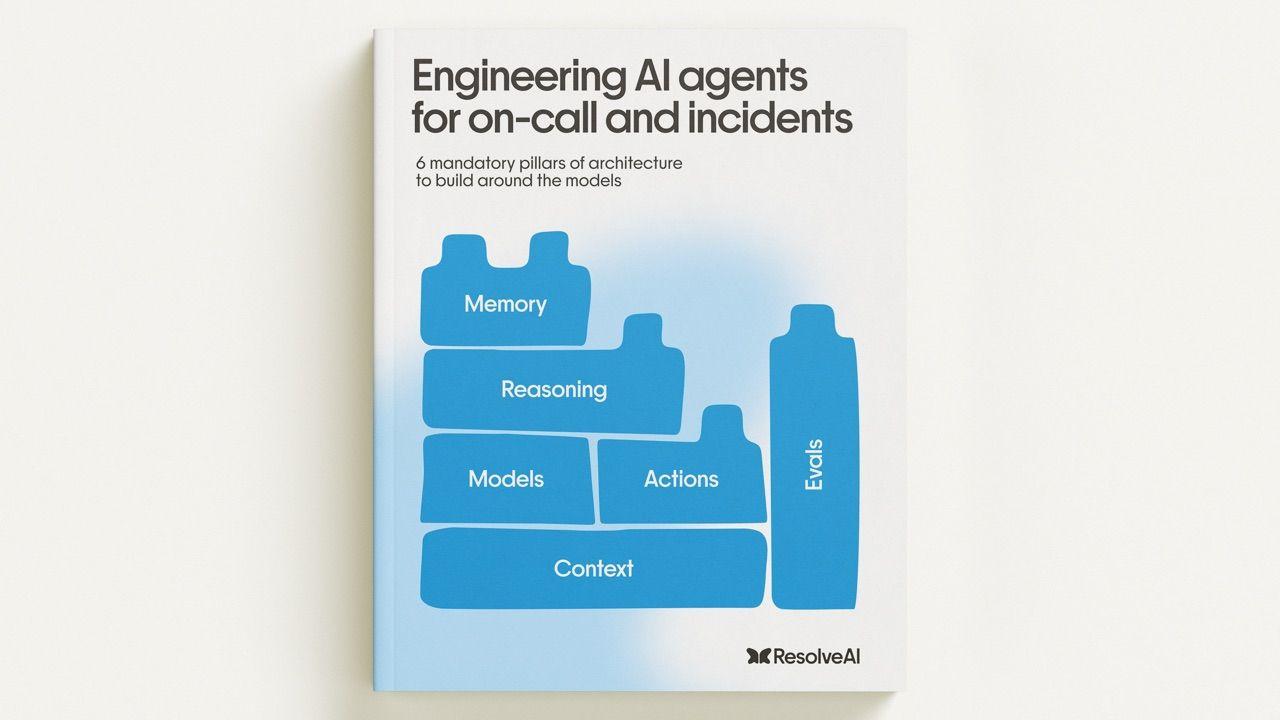
Many teams ask whether they can build a homegrown solution as a part of their DIY initiatives by using OpenAI, Anthropic, or other foundation-model providers directly for on-call support. Foundation models are powerful, but they are not designed out of the box to run reliable, production-grade on-call workflows. They excel at general world knowledge and language, but effective on-call requires enterprise production knowledge that is unique to each organization: your services, dependencies, ownership model, telemetry conventions, deployment patterns, and operational constraints.
Turning a model into something trustworthy for incident work usually requires a lot of additional engineering:
This is why purpose-built tools exist. Products like Resolve AI have to do the hard work to make agents dependable in real operational environments: integrating deeply with production tooling, building the right abstractions for tool use, and applying purpose-built approaches where general models fall short.
DIY can work, but it is typically hard, costly, and slow, and it should not be prioritized unless it is a strategic business lever for your company. For most organizations, the faster path to reliability is adopting a solution that already has the operational scaffolding, safety controls, and production-grade integrations in place.
Resolve AI helps enterprises modernize on-call and production operations by turning noisy telemetry into clear, actionable insights into incidents, without taking control away from engineers.
What Resolve AI is built to do
Why this matters
When you reduce noise and shorten the path from alert to understanding, you improve reliability, reduce on-call load, and free your best engineers to focus on improving systems instead of repeatedly troubleshooting them.
AI for prod helps reduce noise, accelerate triage, and improve consistency in incident response by correlating signals, pulling context, and drafting a plan.
No. It reduces the repetitive burden and improves decision quality. The best model keeps execution human-controlled, especially for production changes.
AI can suggest steps and, in limited cases, automate low-risk actions. A safer pattern is AI-led investigation with human-controlled execution.
Good tools integrate into Slack or Microsoft Teams, connect to observability platforms, and push updates into ticketing and CRM systems so team members do not need to change how they work.
Look for reduced pages, faster time to diagnosis, improved routing accuracy, fewer escalations, better summaries, and less time-consuming post-incident follow-up.
Stay current on how the best engineering teams are using AI in production. Customer spotlights, product updates, how-tos, and more delivered monthly.